Best Employee Onboarding Software At A Glance

BambooHR
No Reviews Yet

Greenhouse
No Reviews Yet

Gusto
No Reviews Yet
Remotedesk – Employee Monitoring software
Overview
RemoteDesk, an employee monitoring software, helps you achieve remote workforce management effectively. It's the world's advanced solution that monitors remote agents, providing security, and free work-from-home compliance.
Overview
Who uses this software
Remotedesk is the world’s most advanced AI-based remote workforce management solution for IT sector, ediscovery law firms, telecommuting security and work-at-home policy compliance.
Support
24/7, Email, FAQ, Live Online, Phone
Seller
Remotedesk – Employee Monitoring software
Company Website
https://www.remotedesk.com/Year Founded
2019
HQ Location
San Francisco, CA, USASan Francisco, CA, USA

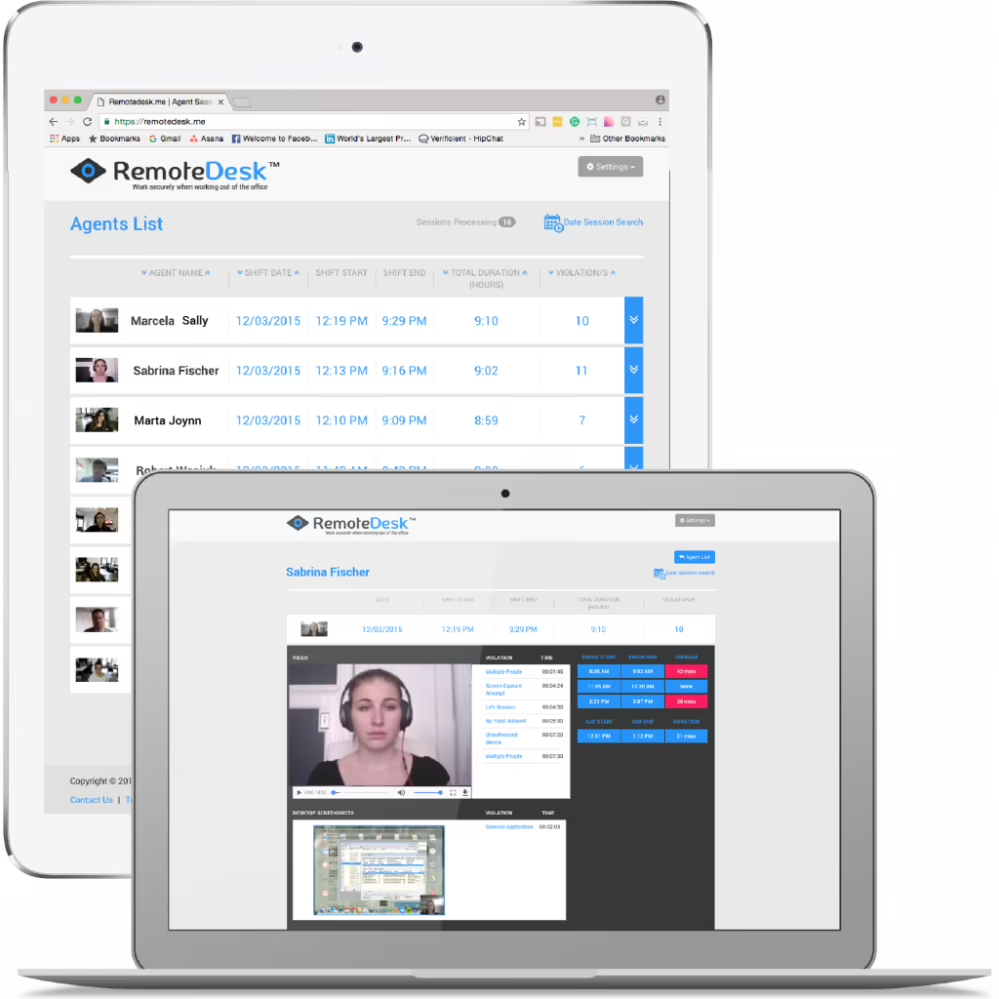
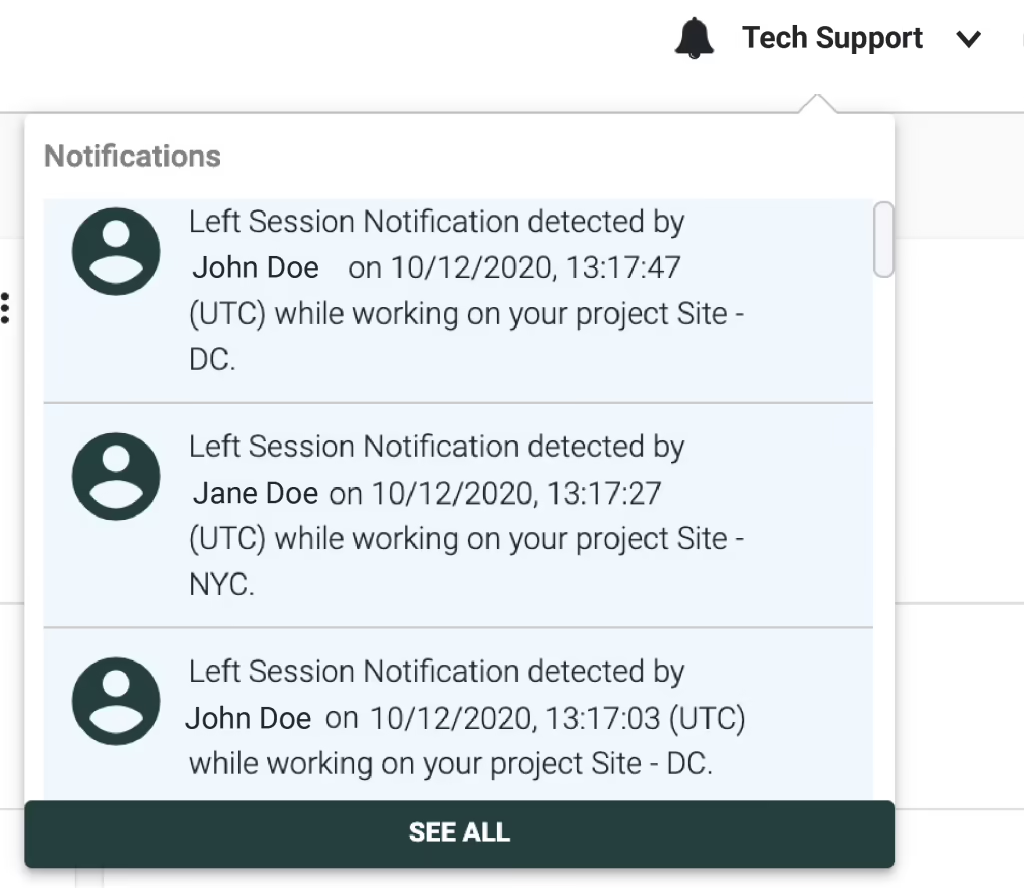
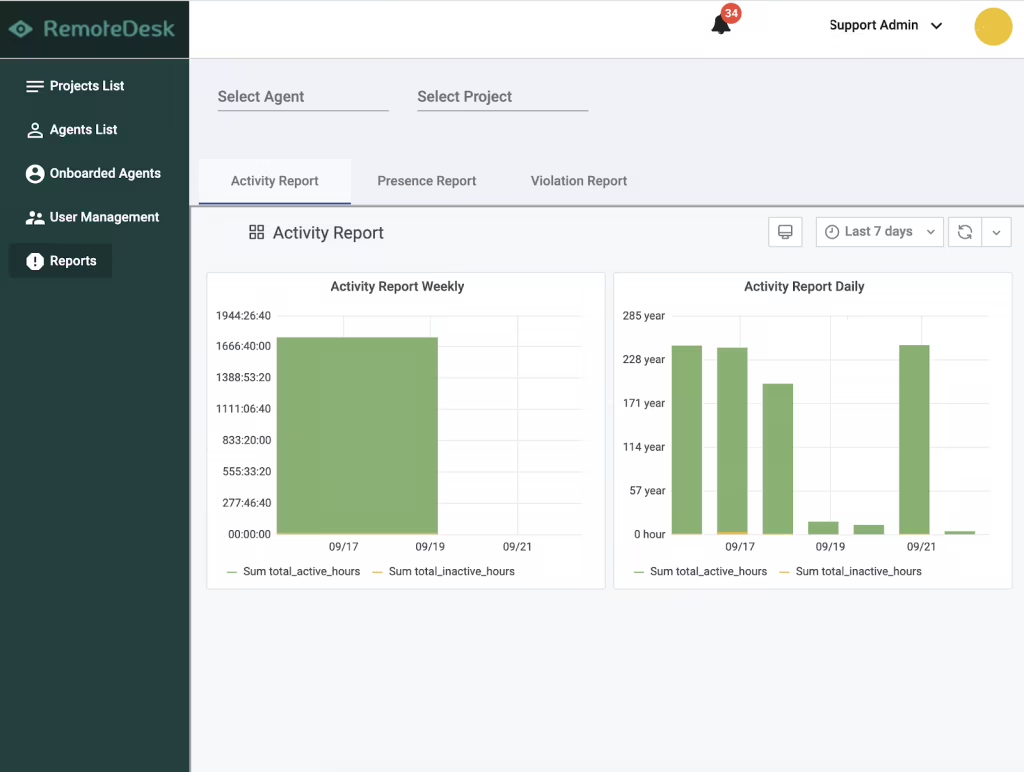

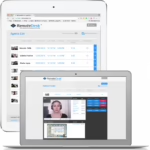
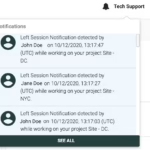
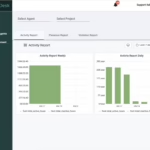
- RemoteDesk continuously verifies employee identities and monitors remote work environments to strengthen security.
- Its AI-powered productivity tracking system gives visibility into productive and non-productive activities and helps with informed workforce management decision-making.
- Data loss prevention features protect sensitive business information in remote work settings.
- Smooth integration with existing remote access infrastructure reduces the risk of workflow disruption.
- The tool’s robust compliance reporting capabilities address potential violations and improve adherence to company policies.
Pricing
View more on pricingExplore Remotedesk – Employee Monitoring software’s complete range of pricing tiers. Learn more about what each plan includes, its costs, available features, integrations, etc., to decide whether Remotedesk – Employee Monitoring software is the right software for your HR operations.
Starting price
N/A
Pricing Model
Free Trial, One-time purchased license, SubscriptionLicense
PaidFree Trial
Yes
Integrations
View the complete list of integrationsRemotedesk – Employee Monitoring software offers to get a clear understanding of its compatible platforms. This will help you decide whether Remotedesk – Employee Monitoring software can fit into your current tech stack or not.







Reviews
View All Reviews0/ 5
0% of Remotedesk – Employee Monitoring software users would recommend it
Have you used this software?
Share your feedback to help others decide whether they should use this.
Write a reviewFeatures
| Feature | Feature Rating | Available in Category |
|---|---|---|
Absence ManagementTrack employee absences during onboarding to manage schedules effectively, maintain attendance records, and ensure smooth training and induction activities without operational disruption. |
|
|
Activity DashboardView onboarding activities in one dashboard with real-time updates on tasks, training progress, and approvals for better visibility and faster decisions. |
|
|
Activity ManagementActivity management organizes work into structured tasks, enabling teams to record time accurately and improve focus on priority assignments for smoother project execution . |
|
|
Activity TrackingTrack every onboarding activity from document submission to training completion, helping HR teams monitor progress and ensure nothing is missed. |
|
|
APIIntegrate onboarding software with HR and payroll systems using an API for smooth data exchange and automated workflows across platforms. |
|
|
Attendance ManagementAttendance management monitors employee presence, absences, and shifts, ensuring accurate records for payroll processing and workforce planning needs across multiple teams and locations every day. |
|
|
Attendance TrackingAttendance tracking captures clock-in and clock-out times, helping organizations measure working hours and improve compliance with labor policies for consistent workforce management. |
|
|
Automatic NotificationsAutomatic notifications alert users about approvals, deadlines, and schedule updates, keeping everyone informed and reducing missed actions for smoother communication across busy work schedules . |
|
|
Automatic Time CaptureAutomatic time capture records work hours without manual input, ensuring accuracy and reducing dependency on employee memory for reliable data and faster payroll processing . |
|
|
Billable & Non-Billable HoursBillable and non-billable hours tracking separates chargeable work from internal tasks, helping businesses manage profitability and resource allocation effectively for clear financial visibility. |
|
|
Clock In/ OutClock-in/out features record working hours accurately, helping organizations track attendance, reduce errors, and support fair payroll processing with simple time entries. |
|
|
Collaboration ToolsEnable collaboration between HR, managers, and new hires through shared tasks, updates, and resources that improve teamwork and onboarding efficiency across the whole organization . |
|
|
Communication ManagementCommunication management centralizes messages, alerts, and updates in one place, helping teams stay informed, engaged, and aligned with schedules and organizational objectives at all times. |
|
|
Compliance ManagementEnsure onboarding processes meet regulatory and company requirements through controlled documentation, automated checks, and reliable record keeping for safe and compliant organizational operations every day. |
|
|
Email NotificationsSend automatic email notifications for tasks, approvals, and milestones so new hires and managers stay informed throughout onboarding without missing important updates or deadlines ever. |
|
|
Employee ManagementManage new employees from day one with tools that track tasks, documents, and progress for smooth and organized onboarding across teams and business units . |
|
|
Employee Time TrackingEmployee time tracking records working hours accurately, helping organizations calculate payroll, monitor productivity, and ensure compliance with attendance policies and labor rules across all teams. |
|
|
Manual Time TrackingManual time tracking allows users to enter hours directly, providing flexibility for roles that cannot rely on automated capture methods and simple reporting every day. |
|
|
MonitoringMonitor onboarding activities in real time to identify delays, improve participation, and maintain high standards of process efficiency across teams and departments every working day. |
|
|
Offline Time TrackingOffline time tracking lets employees record work hours without internet access and sync data automatically later, ensuring accurate records even in remote or connectivity locations. |
|
|
Overtime TrackingTrack overtime hours accurately during onboarding to ensure fair compensation, compliance with labor rules, and clear payroll records for every employee across all shifts . |
|
|
Performance ReportsGenerate performance reports that show progress, strengths, and learning gaps to help managers make informed decisions for effective planning and continuous employee development every month. |
|
|
Progress TrackingTrack onboarding progress clearly to ensure tasks are completed on time and employees stay confident about their journey with regular updates and shared visibility . |
|
|
Project BudgetingProject budgeting links time entries with costs, allowing managers to monitor spending, control overruns, and maintain financial discipline throughout project lifecycles for better business planning. |
|
|
Project Time TrackingProject time tracking records hours spent on each task, helping organizations understand effort distribution and improve cost control for every assignment across all active projects. |
|
|
Project TrackingProject tracking provides continuous visibility into task status and milestones, enabling managers to address risks early and keep work on schedule for reliable project delivery. |
|
|
Real Time AnalyticsAccess real-time analytics to monitor onboarding progress, identify delays, and make faster decisions using live insights that improve efficiency and employee experience overall. |
|
|
Real Time MonitoringReal-time monitoring allows supervisors to watch attendance and task progress live, supporting immediate action and better operational control for busy teams and management. |
|
|
Real Time NotificationsReceive real time notifications for tasks, approvals, and updates so managers and new hires stay informed and take timely action without missing important onboarding steps. |
|
|
Real Time ReportingGenerate real-time reports that present current onboarding status, completion rates, and performance indicators for better visibility and quicker management decisions across teams. |
|
|
Real Time UpdatesGet real-time updates on documents, training, and task progress so everyone remains aligned and onboarding processes move forward smoothly without communication gaps. |
|
|
SSL SecurityProtect all data transfers with SSL security to ensure safe communication and prevent unauthorized access during onboarding activities for reliable and trusted system usage . |
|
|
Status TrackingTrack onboarding status clearly to monitor task completion, approvals, and employee progress across every stage for better visibility and timely management decisions each working day. |
|
|
Summary ReportsWith summary reports, time-tracking software users can aggregate key time and productivity metrics in simple formats for quick reviews and informed business decision-making. |
|
|
Task ManagementManage onboarding tasks with clear assignments, deadlines, and progress tracking to ensure smooth execution across teams for organized operations and faster completion of work . |
|
|
Task TrackingTask tracking shows real-time progress and completion status, helping managers identify delays and keep projects on schedule with clear operational performance insights. |
|
|
Third Party IntegrationConnect onboarding software with third party applications to exchange data smoothly and reduce manual work across business systems for better process integration and accuracy . |
|
|
Time & Expense TrackingTime & expense tracking records work hours and costs, helping organizations set and control budgets and easily understand project profitability for smarter financial planning. |
|
|
Time ClockThe Time Clock feature allows employee to record their start, break, and end times digitally, replacing the biometric system and ensuring accurate attendance records. |
|
|
Time Clock IntegrationTime clock integration syncs physical or digital clocks within the system, ensuring real-time attendance updates for accurate payroll reporting and calculations. |
|
|
TimerA built-in Timer allows users to start, pause, and stop tracking task progress, providing precise data for billing and payroll, as well as productivity analysis. |
|
|
Timesheet ManagementTimesheet management simplifies the recording and reviewing of employee work hours, tasks, and project time, helping HR teams process payroll faster and with fewer errors. |
|
|
TimesheetsMaintain timesheets for new employees to record working hours and support payroll and performance tracking for accurate reporting and better workforce planning every working day. |
|
|
Vacation/Leave TrackingVacation and leave tracking monitors employee time-off, such as PTO, sick leave, and vacation days, ensuring proper staffing levels and accurate payroll processing. |
|
|
Workflow ManagementDesign and manage onboarding workflows that automate tasks, improve coordination, and ensure every step follows company policy for consistent processes and better employee experiences . |
|
Compare
Vs.
Choose comparison



Alternatives
View all alternativesDiscover Remotedesk – Employee Monitoring software's most popular alternatives. Run a detailed comparison of how Remotedesk – Employee Monitoring software performs against other leading software in the same category, in terms of pricing, features, benefits, and more.

VisionProject
Keep all your projects safely in one place. All data, documents, activities, and people will…
Travelize
Travelize presents the enterprises with Online Field Employee Monitoring Software experience. The application offers a…

View Remotedesk – Employee Monitoring software in other categories
Remotedesk – Employee Monitoring software is also a part of other HR software categories, where you can find category-specific features, user reviews, pricing details, and more.


