Best Employee Onboarding Software At A Glance

BambooHR
No Reviews Yet

Greenhouse
No Reviews Yet

Gusto
No Reviews Yet

UPtick
Overview
UPtick is a practice simulator for salespeople that delivers engaging 3D simulations reflecting the real-life customer interactions they face, allowing reps to repeatedly practice these interactions to develop the skills essential for success.
Overview
Who uses this software
Sales professionals and organizations of all experience levels and sizes looking to improve win-rates, quota attainment, and sales skills essential for success.
Support
24/7, Business Hours, Email, FAQ, Live Online, Phone
Seller
UPtick
Year Founded
2020
HQ Location
New York, USA
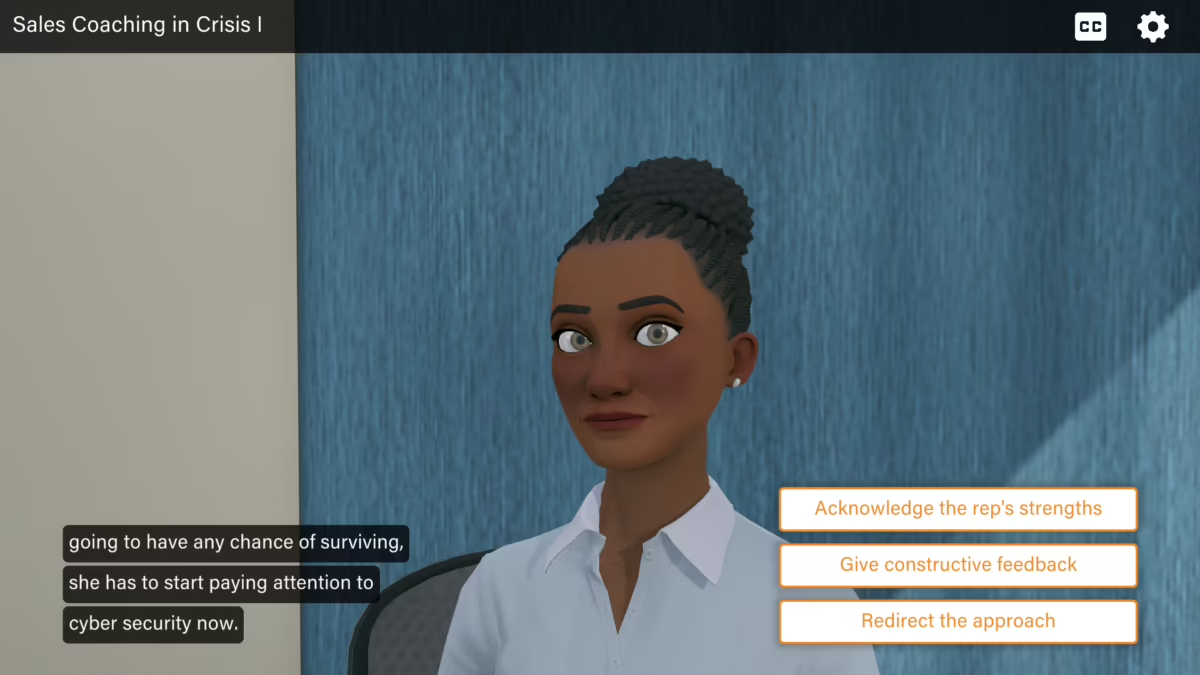
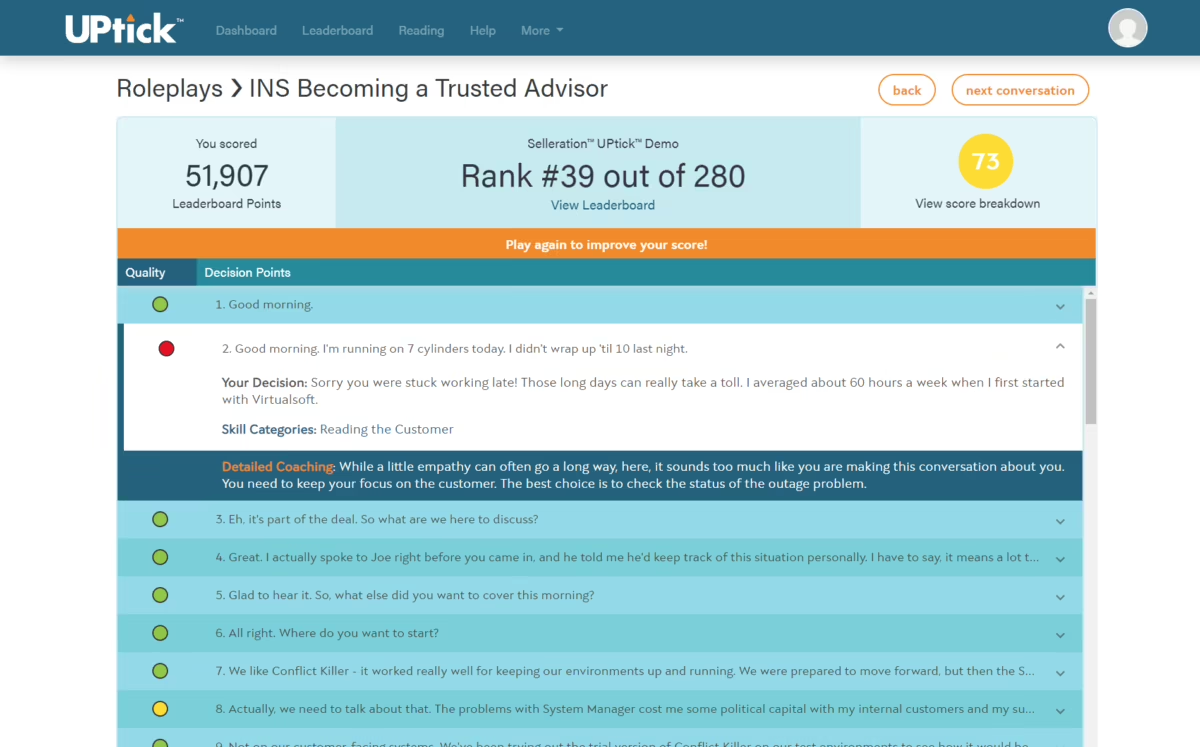

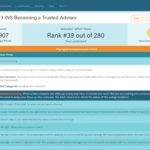
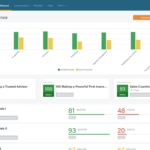
- Uptick shifts sales onboarding and training from passive observation to active participation, involving new reps in hands-on learning.
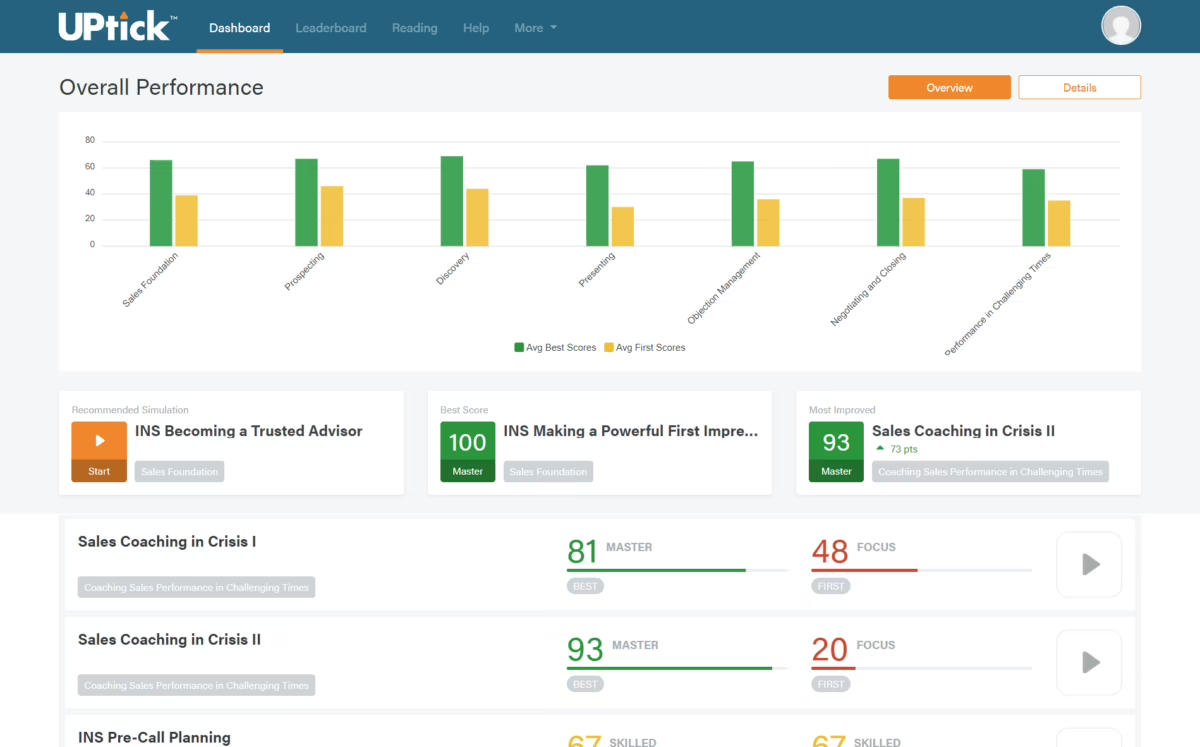
- The platform helps sales managers identify skill gaps early in the orientation process, so they can provide targeted training to help every rep build essential sales competencies to become field-ready in no time.
- A more professional and confident sales force needs structured, repeated practice that ensures consistency in messaging, which this platform helps achieve.
Pricing
View more on pricingExplore UPtick’s complete range of pricing tiers. Learn more about what each plan includes, its costs, available features, integrations, etc., to decide whether UPtick is the right software for your HR operations.
Starting price
$80/User/Month
<p>All plans start at $80/User/Month and decrease with volume and include all features necessary to set yourself, your sales team, and your business up for success. Contact us today for more information on features and plans.</p>
Pricing Model
Free Trial, SubscriptionLicense
PaidFree Trial
Yes
Integrations
View the complete list of integrationsUPtick offers to get a clear understanding of its compatible platforms. This will help you decide whether UPtick can fit into your current tech stack or not.







Reviews
View All Reviews0/ 5
0% of UPtick users would recommend it
Have you used this software?
Share your feedback to help others decide whether they should use this.
Write a reviewFeatures
| Feature | Feature Rating | Available in Category |
|---|---|---|
360 Degree FeedbackLorem Ipsum is simply dummy text of the printing and typesetting industry. |
|
|
Access ControlControl who can view or update onboarding data using role-based access, ensuring privacy, security, and proper handling of sensitive employee information across teams. |
|
|
Activity DashboardView onboarding activities in one dashboard with real-time updates on tasks, training progress, and approvals for better visibility and faster decisions. |
|
|
Activity TrackingTrack every onboarding activity from document submission to training completion, helping HR teams monitor progress and ensure nothing is missed. |
|
|
AnalyticsLorem Ipsum is simply dummy text of the printing and typesetting industry. |
|
|
Application IntegrationIntegrate onboarding tools with existing business applications to streamline processes, reduce duplicate work, and maintain consistent employee information across all departments for better operational efficiency. |
|
|
Assessment ManagementManage onboarding assessments to evaluate knowledge, skills, and readiness, supporting structured learning and confident role placement for stronger performance outcomes and long-term employee success. |
|
|
Asynchronous LearningEnable asynchronous learning so new hires complete training at their own pace while maintaining progress tracking and learning consistency for flexible onboarding and improved engagement. |
|
|
Automatic RemindersSend automatic reminders for tasks, training, and document submission so new hires and managers stay aligned and maintain timely progress throughout the entire onboarding journey. |
|
|
Blended LearningCombine classroom sessions with digital learning modules to create a balanced onboarding experience that improves knowledge retention and keeps new hires actively engaged every day. |
|
|
Communication ManagementLorem Ipsum is simply dummy text of the printing and typesetting industry. |
|
|
Competency ManagementTrack and manage employee competencies during onboarding to match roles with skills and identify development needs from the beginning for stronger workforce performance and growth. |
|
|
Content LibraryStore onboarding guides, policies, and training materials in a central content library for easy access and consistent knowledge sharing among all new employees every day. |
|
|
Content ManagementManage onboarding content with tools that support updates, version control, and organized distribution to maintain accurate information for new hires across multiple teams and locations. |
|
|
Custom Landing PagesBuild custom landing pages for onboarding that present personalized content, instructions, and resources to guide new employees from day one with clarity and confidence . |
|
|
Customizable BrandingApply your organization’s branding to onboarding portals with logos, colors, and themes for a consistent and professional employee experience across every digital interaction and screen. |
|
|
Customizable ReportingGenerate customizable reports to analyze onboarding progress, performance metrics, and engagement levels for informed management decisions across teams and support strategic workforce planning every quarter. |
|
|
Customizable TemplatesUse customizable templates for emails, forms, and workflows to maintain consistency while saving time in onboarding operations for faster execution and better process control . |
|
|
Data Import/ExportImport and export onboarding data easily to maintain accuracy, reduce manual entry, and ensure smooth information exchange between systems for faster processing and reliable records. |
|
|
Email IntegrationIntegrate onboarding software with email systems to send updates, share documents, and keep communication consistent across the organization for smoother HR coordination and faster responses. |
|
|
Email NotificationsSend automatic email notifications for tasks, approvals, and milestones so new hires and managers stay informed throughout onboarding without missing important updates or deadlines ever. |
|
|
Employee DatabaseMaintain a central employee database that stores onboarding details, documents, and personal information for easy access and accurate records across the entire organization at all. |
|
|
Employee OnboardingStreamline employee onboarding with structured workflows, digital documents, and guided steps that help new hires settle in quickly and build early engagement within the organization. |
|
|
Employee ProfileCreate detailed employee profiles with personal data, documents, and role information to support personalized onboarding experiences for better understanding and smoother HR coordination every day. |
|
|
Employee Self ServiceProvide an employee self-service portal where new hires can complete forms, upload documents, and track onboarding progress independently with ease and full transparency. |
|
|
Feedback CollectionCollect feedback from new hires through surveys and forms to understand their experience and improve onboarding processes for stronger engagement and better future programs continuously. |
|
|
GamificationUse gamification to motivate new hires through points, badges, and challenges that make onboarding engaging, encourage participation, and build positive habits from the first day. |
|
|
Goal Setting / TrackingSet and track onboarding goals so employees clearly understand expectations, measure progress, and stay focused on learning milestones throughout their initial journey with complete visibility. |
|
|
Mobile IntegrationEnable mobile integration so new hires complete tasks, access resources, and receive updates using smartphones and tablets anytime for flexible and convenient onboarding every day. |
|
|
MonitoringMonitor onboarding activities in real time to identify delays, improve participation, and maintain high standards of process efficiency across teams and departments every working day. |
|
|
Overtime TrackingTrack overtime hours accurately during onboarding to ensure fair compensation, compliance with labor rules, and clear payroll records for every employee across all shifts . |
|
|
Performance AppraisalConduct performance appraisals during onboarding to assess early contribution, provide feedback, and guide employee development plans for continuous improvement and long term career growth success. |
|
|
Performance ManagementSupport performance management by tracking goals, feedback, and achievements from the onboarding stage onward for sustained productivity and better workforce alignment across all teams . |
|
|
Performance ReportsGenerate performance reports that show progress, strengths, and learning gaps to help managers make informed decisions for effective planning and continuous employee development every month. |
|
|
Progress TrackingTrack onboarding progress clearly to ensure tasks are completed on time and employees stay confident about their journey with regular updates and shared visibility . |
|
|
Real Time AnalyticsAccess real-time analytics to monitor onboarding progress, identify delays, and make faster decisions using live insights that improve efficiency and employee experience overall. |
|
|
Real Time DataView real-time data to track onboarding activities instantly, ensuring accurate information, quicker responses, and better coordination between HR teams and new employees every day. |
|
|
Real Time NotificationsReceive real time notifications for tasks, approvals, and updates so managers and new hires stay informed and take timely action without missing important onboarding steps. |
|
|
Real Time ReportingGenerate real-time reports that present current onboarding status, completion rates, and performance indicators for better visibility and quicker management decisions across teams. |
|
|
Real Time UpdatesGet real-time updates on documents, training, and task progress so everyone remains aligned and onboarding processes move forward smoothly without communication gaps. |
|
|
Recruiting ManagementManage recruiting activities from one platform by linking candidate data with onboarding workflows for seamless transitions and improved hiring efficiency across departments and locations. |
|
|
Reporting StatisticsAccess detailed reporting statistics that highlight trends, completion rates, and compliance levels to support data-driven planning and continuous onboarding improvement. |
|
|
Role-Based PermissionsControl system access with role-based permissions so users view only relevant information, protecting sensitive onboarding data and ensuring secure, organized collaboration across departments. |
|
|
Secure Data StorageStore onboarding information securely with encrypted databases and controlled access, ensuring employee data remains protected and compliant with organizational security standards at all times . |
|
|
Self Service PortalProvide a self-service portal where new employees complete tasks, upload documents, and track progress independently for a smoother onboarding experience across all departments. |
|
|
Skills AssessmentLorem Ipsum is simply dummy text of the printing and typesetting industry. |
|
|
Skills TrackingTrack skill development throughout onboarding to monitor learning progress and align training programs with job requirements for long term employee growth and business success . |
|
|
SSL SecurityProtect all data transfers with SSL security to ensure safe communication and prevent unauthorized access during onboarding activities for reliable and trusted system usage . |
|
|
Task ManagementManage onboarding tasks with clear assignments, deadlines, and progress tracking to ensure smooth execution across teams for organized operations and faster completion of work . |
|
|
Time AttendanceMonitor time and attendance during onboarding to maintain accurate records and support compliance with company policies for fair workforce management and smooth payroll processing . |
|
|
Training ManagementManage training programs with organized schedules, completion tracking, and learning resources for effective onboarding that builds skills and boosts employee confidence from the first day. |
|
|
Workflow ManagementDesign and manage onboarding workflows that automate tasks, improve coordination, and ensure every step follows company policy for consistent processes and better employee experiences . |
|
Compare
Vs.
Choose comparison




Alternatives
View all alternativesDiscover UPtick's most popular alternatives. Run a detailed comparison of how UPtick performs against other leading software in the same category, in terms of pricing, features, benefits, and more.

Process Street
Process Street is the Compliance Operations Platform that turns recurring processes into no-code workflows with…


Kissflow Workflow
Digital Workplace. A simple, optimal and efficient platform to manage and track all of your…
321Forms
321Forms takes the paper out of paperwork, streamlining your onboarding & allowing your new hires…
View UPtick in other categories
UPtick is also a part of other HR software categories, where you can find category-specific features, user reviews, pricing details, and more.


