
Best Employee Scheduling Software At A Glance
Workday HCM
No Reviews Yet

When I Work
No Reviews Yet

Monday
No Reviews Yet

Calamari
Overview
Calamari helps you in leave management and tracking attendance. It automates PTO calculation. Many ways to clock in/out. Integrated with Google Apps, Slack, Jira and Office 365
Overview
Who uses this software
Calamari helps all businesses starting from tech start-ups, focused on growth, through the convent small and medium businesses where the remote work and absence tracking is important part of planning.
Support
Business Hours, Live Online
HQ Location
Warsaw, Poland
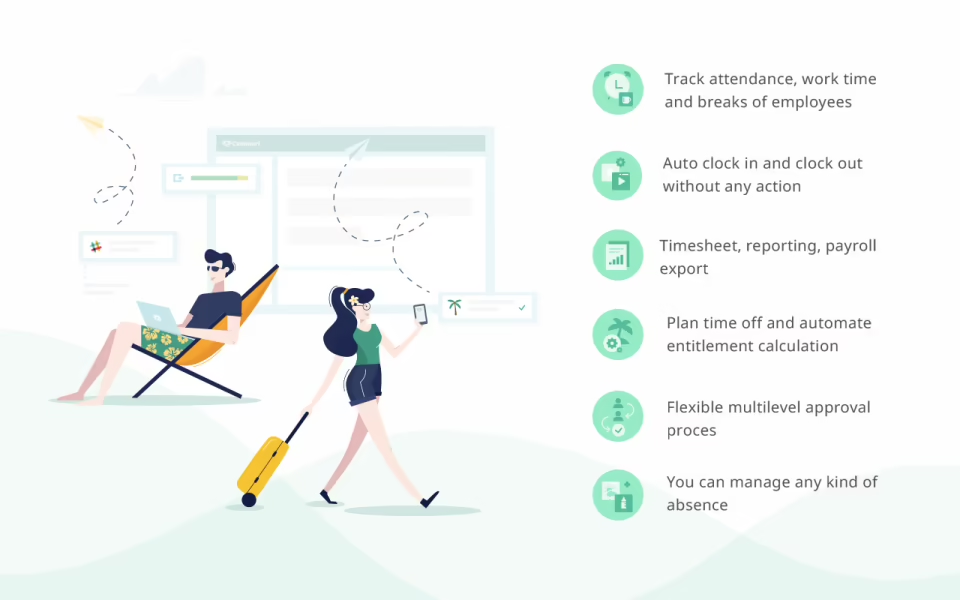
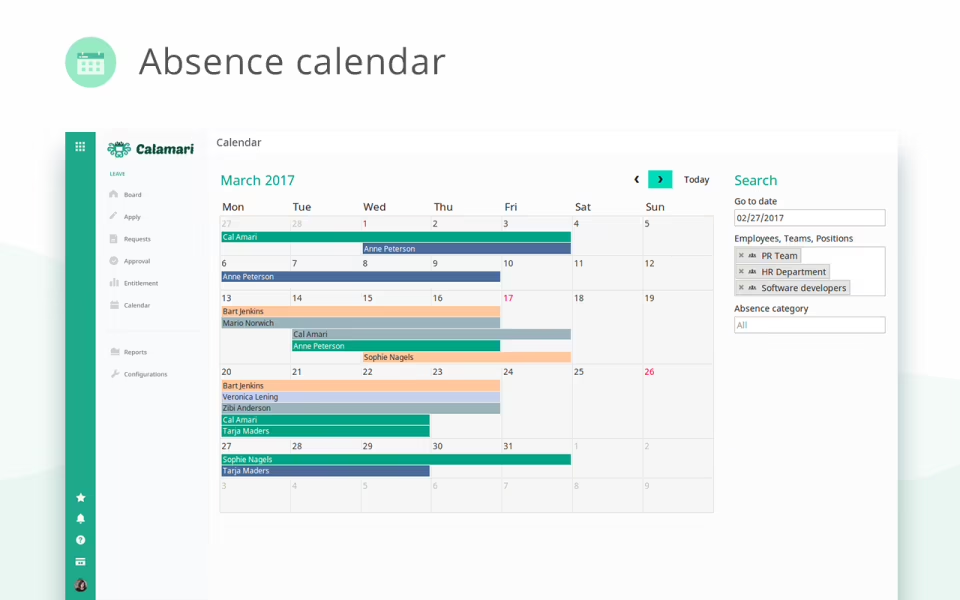
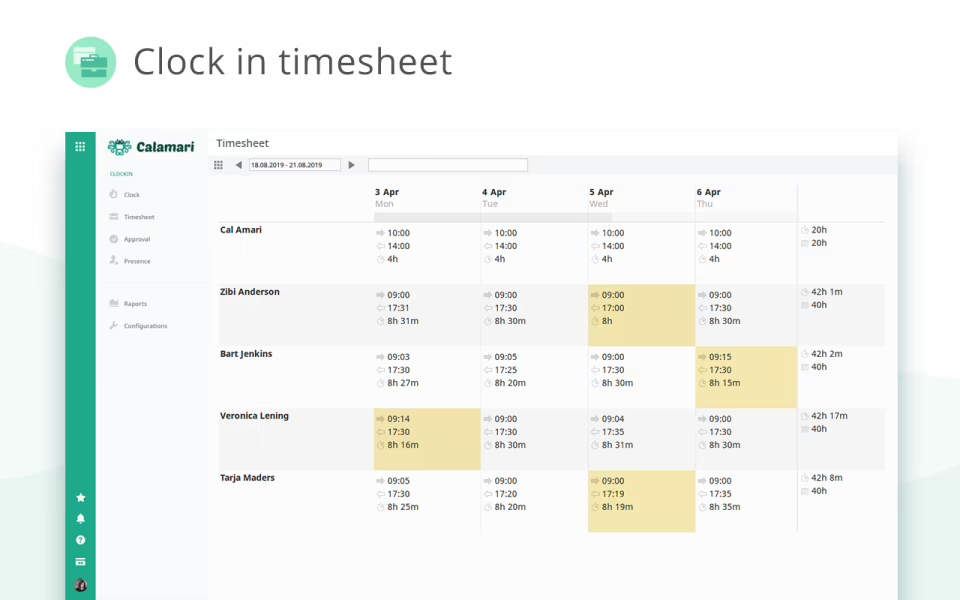
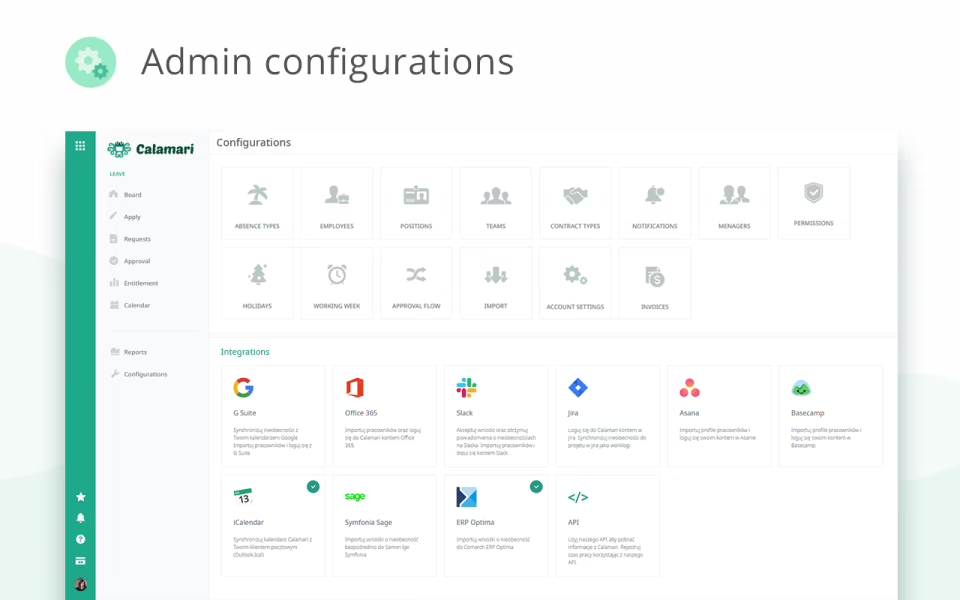
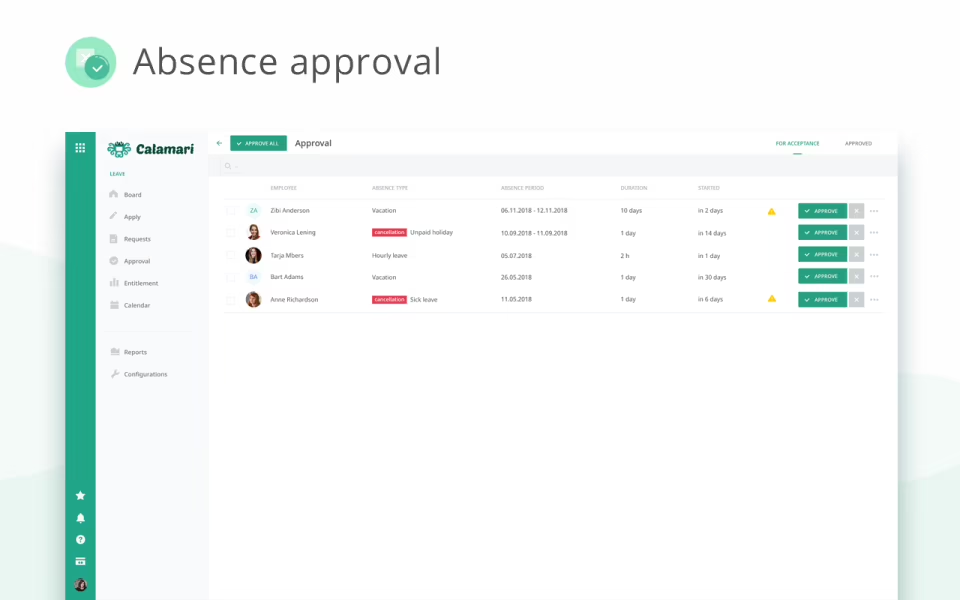
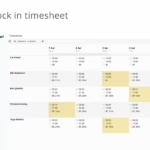
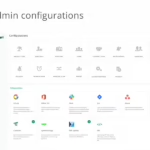
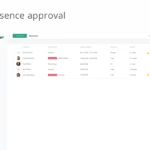
- Calamari improves attendance management through timesheets, reports, and employee monitoring tools while minimizing the complexity of an HRIS.
- The software automates leave requests, approvals, and time tracking to help teams streamline HR processes and reduce admin effort.
- The interface is user-friendly and encourages quick adoption across different teams.
- Its ability to integrate with common workplace tools supports collaboration and centralizes HR workflows.
- The platform improves visibility into employee attendance and availability for better workforce planning.
Pricing
View more on pricingExplore Calamari’s complete range of pricing tiers. Learn more about what each plan includes, its costs, available features, integrations, etc., to decide whether Calamari is the right software for your HR operations.
Starting price
$1.00/month/user. Start from $10/mo for 1-10 users, special pricing for non-profits
Pricing Model
Free Trial, One-time purchased license, SubscriptionLicense
PaidFree Trial
Yes
Integrations
View the complete list of integrationsCalamari offers to get a clear understanding of its compatible platforms. This will help you decide whether Calamari can fit into your current tech stack or not.











Reviews
View All Reviews0/ 5
0% of Calamari users would recommend it
Have you used this software?
Share your feedback to help others decide whether they should use this.
Write a reviewFeatures
| Feature | Feature Rating | Available in Category |
|---|---|---|
Absence ManagementAbsence management tracks leave, holidays, and unplanned absences, helping managers maintain workforce balance, ensure accurate payroll processing, and support employee wellbeing through transparent scheduling controls. |
|
|
Access ControlControl user access with role-based permissions to protect schedules, manage responsibilities, and ensure only authorized staff can view or edit sensitive workforce information. |
|
|
Accounting IntegrationAccounting integration connects time tracking with financial systems, enabling accurate cost allocation, faster invoicing, and smoother reconciliation of project expenses and payroll records for teams. |
|
|
Activity ManagementActivity management organizes work into structured tasks, enabling teams to record time accurately and improve focus on priority assignments for smoother project execution . |
|
|
APIUse a flexible API to integrate scheduling software with HR, payroll, and business systems for smooth data exchange and automation across all core work processes. |
|
|
Attendance ManagementManage employee attendance with digital records that track working hours, absences, and punctuality for accurate payroll and compliance across multiple teams and business locations . |
|
|
Automated SchedulingAutomate shift planning based on availability and workload to save time, reduce conflicts, and improve workforce efficiency for smoother operations across every working day. |
|
|
Automatic NotificationsAutomatic notifications alert users about approvals, deadlines, and schedule updates, keeping everyone informed and reducing missed actions for smoother communication across busy work schedules . |
|
|
Billing InvoicingBilling and invoicing converts tracked time into accurate client invoices, reducing errors and speeding up revenue collection processes for smoother cash flow and client trust. |
|
|
BudgetingBudgeting tools estimate project time costs and allocate resources wisely, supporting informed decisions and long term financial planning for stable growth and business success . |
|
|
Calendar ManagementOrganize shifts and work schedules using a central calendar that helps teams avoid overlaps and meet staffing needs for better planning and coordination every day. |
|
|
Clock In/ OutClock-in/out features record working hours accurately, helping organizations track attendance, reduce errors, and support fair payroll processing with simple time entries. |
|
|
Collaboration ToolsCollaboration tools enable teams to share updates, coordinate tasks, and work together while keeping time records aligned with project goals and business priorities every day. |
|
|
CommentingCommenting allows users to leave notes on tasks and time entries, improving clarity, reducing misunderstandings, and supporting transparent communication across teams and management workflows . |
|
|
Customizable BrandingCustomizable branding allows companies to personalize the interface with logos, colors, and themes, creating a consistent identity across time tracking tools and employee experiences . |
|
|
Customizable ReportingCustomizable reporting enables teams to design reports that highlight productivity, costs, and trends, supporting better decisions with data tailored to business priorities and leadership needs. |
|
|
Customizable TemplatesCustomizable templates simplify setup by providing reusable formats for tasks, reports, and schedules, saving time and ensuring consistency across teams and ongoing projects every day. |
|
|
Data Import/ExportImport and export scheduling data easily between systems to support reporting, backups, and smooth information sharing across departments for efficient workforce operations and planning. |
|
|
Document ManagementDocument management helps store, organize, and retrieve work-related files alongside time records, supporting compliance and smoother collaboration across teams and processes every working day. |
|
|
Document StorageDocument storage provides a secure digital space for contracts, policies, and reports, ensuring important files remain accessible and protected from loss or unauthorized access. |
|
|
Drag Drop InterfaceLorem Ipsum is simply dummy text of the printing and typesetting industry. |
|
|
Email IntegrationEmail integration connects time tracking with email systems, allowing updates, approvals, and reports to be shared instantly without switching between multiple workplace applications. |
|
|
Email NotificationsEmail notifications keep users informed about approvals, reminders, and schedule changes, ensuring timely action and reducing missed tasks across busy work environments and teams. |
|
|
Employee DatabaseMaintain a central employee database with profiles and schedules for quick access and accurate workforce management across teams and different business locations every single day. |
|
|
Employee ManagementEmployee management tools simplify scheduling, approvals, and performance oversight, enabling organizations to coordinate teams efficiently while maintaining clear records of working hours and responsibilities consistently. |
|
|
Employee ProfilingEmployee profiling captures skills, availability, and work patterns, helping managers assign tasks effectively and understand productivity trends across individuals and departments for smarter planning needs. |
|
|
Employee Self ServiceEmployee self-service allows staff to submit timesheets, request changes, and view schedules independently, reducing administrative workload and improving overall satisfaction across the organization. |
|
|
Employee Time TrackingEmployee time tracking records working hours accurately, helping organizations calculate payroll, monitor productivity, and ensure compliance with attendance policies and labor rules across all teams. |
|
|
EstimatingEstimating features help plan project timelines and resource requirements using past data, supporting realistic schedules and better control over workloads and budgets for future projects. |
|
|
ForecastingUse forecasting tools to predict staffing needs based on demand patterns and historical scheduling data for better planning and improved service delivery every single day. |
|
|
Location TrackingLocation tracking monitors where work hours are logged, helping organizations verify attendance and manage remote or traveling teams efficiently with greater accuracy and confidence. |
|
|
Manual Time TrackingManual time tracking allows users to enter hours directly, providing flexibility for roles that cannot rely on automated capture methods and simple reporting every day. |
|
|
Mobile Time TrackingMobile time tracking lets employees record hours on the go, improving accuracy and supporting real-time visibility for managers across all work locations and shifts. |
|
|
MonitoringMonitoring tools provide supervisors with live insights into attendance and activity levels, helping address issues quickly and maintain productivity across the entire workforce operations. |
|
|
Multi-CurrencyMulti-currency support allows organizations to manage time and payments across different regions, simplifying billing and financial reporting for international teams and global business needs. |
|
|
Multiple Billing RatesMultiple billing rates allow different charges for projects or roles, supporting accurate invoicing and better revenue management across client contracts and service based business models. |
|
|
Offline Time TrackingOffline time tracking lets employees record work hours without internet access and sync data automatically later, ensuring accurate records even in remote or connectivity locations. |
|
|
Overtime CalculationCalculate overtime automatically based on work hours and company rules for accurate payroll processing and fair compensation across all teams every single working day. |
|
|
Progress TrackingProgress tracking shows how tasks and projects advance over time, helping teams stay focused, meet deadlines, and improve accountability across departments for work goals. |
|
|
Project ManagementProject management tools organize tasks, teams, and schedules in one place, helping organizations deliver work efficiently while maintaining clear timelines and responsibilities for every project. |
|
|
Project Time TrackingProject time tracking records hours spent on each task, helping organizations understand effort distribution and improve cost control for every assignment across all active projects. |
|
|
Project TrackingProject tracking provides continuous visibility into task status and milestones, enabling managers to address risks early and keep work on schedule for reliable project delivery. |
|
|
ProjectionsProjections use historical time data to estimate future workloads and costs, helping businesses plan resources and budgets with confidence for upcoming operational and strategic needs. |
|
|
Real Time DataAccess real-time data on shifts, attendance, and availability so managers can make informed decisions quickly and employees can see the latest schedules without confusion. |
|
|
Real Time MonitoringReal-time monitoring allows supervisors to watch attendance and task progress live, supporting immediate action and better operational control for busy teams and management. |
|
|
Real Time NotificationsReal-time notifications alert users about approvals, delays, and updates instantly, helping teams respond quickly and avoid missed tasks during important work and project cycles. |
|
|
Real Time ReportingReal-time reporting generates live reports on time and performance metrics, enabling managers to evaluate progress without waiting for manual updates for faster business decisions. |
|
|
Reporting StatisticsLorem Ipsum is simply dummy text of the printing and typesetting industry. |
|
|
Role-Based PermissionRole-based permission restricts system access according to job roles, ensuring sensitive time and payroll data remains secure and visible only to authorized users. |
|
|
Secure Data StorageSecure data storage protects time records and employee records with strong security controls, ensuring information remains confidential and safe from unauthorized access. |
|
|
Status TrackingReal-time status tracking shows progress of tasks and approvals as they happen, helping teams stay updated and complete work efficiently without confusion or unnecessary delays. |
|
|
Summary ReportsWith summary reports, time-tracking software users can aggregate key time and productivity metrics in simple formats for quick reviews and informed business decision-making. |
|
|
Task SchedulingSchedule tasks alongside shifts to assign responsibilities clearly and improve productivity across teams with better planning for smooth operations every single working day now. |
|
|
Task TrackingTask tracking shows real-time progress and completion status, helping managers identify delays and keep projects on schedule with clear operational performance insights. |
|
|
Third Party IntegrationThird-party integration connects time tracking with payroll, accounting, and project management systems, enabling smooth data exchange and reducing manual effort for staff every day. |
|
|
Time & Expense TrackingTime & expense tracking records work hours and costs, helping organizations set and control budgets and easily understand project profitability for smarter financial planning. |
|
|
Time Clock IntegrationTime clock integration syncs physical or digital clocks within the system, ensuring real-time attendance updates for accurate payroll reporting and calculations. |
|
|
TimerA built-in Timer allows users to start, pause, and stop tracking task progress, providing precise data for billing and payroll, as well as productivity analysis. |
|
Compare
Vs.
Choose comparison




Alternatives
View all alternativesDiscover Calamari's most popular alternatives. Run a detailed comparison of how Calamari performs against other leading software in the same category, in terms of pricing, features, benefits, and more.


Connecteam – Time Tracking Software
Connecteam is an award-winning all-in-one employee management platform. Tailored for the unique demands of non-desk…


View Calamari in other categories
Calamari is also a part of other HR software categories, where you can find category-specific features, user reviews, pricing details, and more.


