Best Employee Onboarding Software At A Glance

BambooHR
No Reviews Yet

Greenhouse
No Reviews Yet

Gusto
No Reviews Yet

uQualio
Overview
Create interactive video-based courses to boost your business. A cloud-based video Learning software to secure motivated and engaged customers, employees, and partners. uQualio is the most affordable and easy-to-use LMS.
Overview
Who uses this software
Manufacturing, Logistics, Medico, Retail, Cleaning services, Hospitality, Software Vendors, Construction, NGOs, Startups, Government, Educational institutions, Financial, Management consultants, and more.
Support
24/7, Business Hours, Email, FAQ, Knowledge Base, Live Online, Phone
Seller
uQualio
Year Founded
2017
HQ Location
Veksø Sjælland, DK
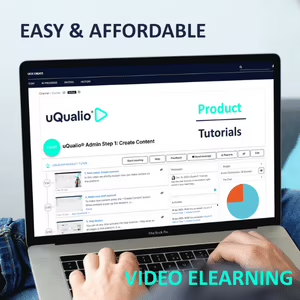
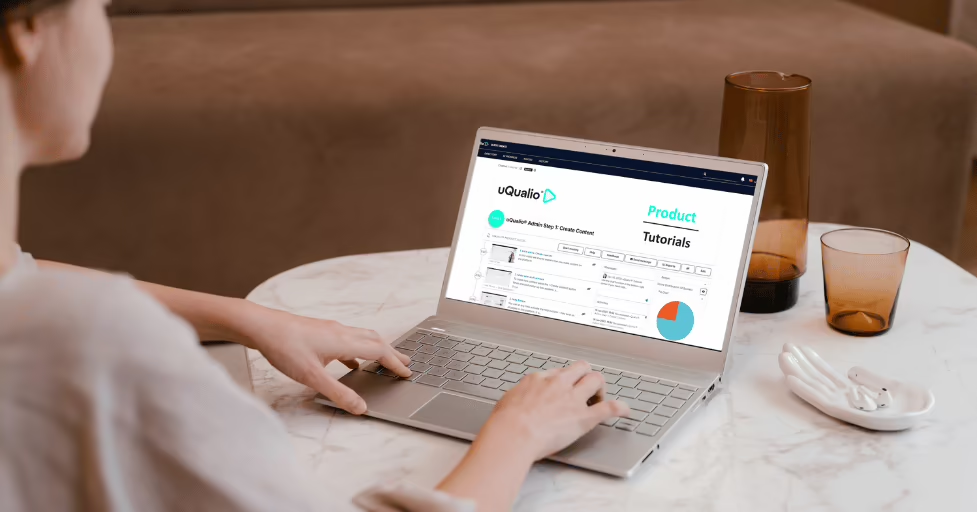





- The software’s video-first approach improves program efficiency while reducing time and costs.
- Centralized course management simplifies and streamlines program creation, distribution, and maintenance across multiple audience groups.
- Progress tracking and certification management help organizations monitor compliance adherence and learner achievements more closely.
- Scalable deployment, faster onboarding, and improved customer education outcomes make the tool an ideal solution for all organizations.
Pricing
View more on pricingExplore uQualio’s complete range of pricing tiers. Learn more about what each plan includes, its costs, available features, integrations, etc., to decide whether uQualio is the right software for your HR operations.
Starting price
$19.99
<p>uQualio is 100% pay-as-you-go, so you don’t pay more than necessary. From +10 users you only pay for the number of active users each month, and for every active user you add, you get more cloud storage, hours of streaming, and SMSs. Use the subscription calculator on uQualios pricing site to estimate your price. Then activate a free trial to test the platform.</p>
Pricing Model
Free Trial, Freemium, SubscriptionLicense
PaidFree Trial
Yes
Integrations
View the complete list of integrationsuQualio offers to get a clear understanding of its compatible platforms. This will help you decide whether uQualio can fit into your current tech stack or not.






Reviews
View All Reviews0/ 5
0% of uQualio users would recommend it
Have you used this software?
Share your feedback to help others decide whether they should use this.
Write a reviewFeatures
| Feature | Feature Rating | Available in Category |
|---|---|---|
Absence ManagementTrack employee absences during onboarding to manage schedules effectively, maintain attendance records, and ensure smooth training and induction activities without operational disruption. |
|
|
Access ControlControl who can view or update onboarding data using role-based access, ensuring privacy, security, and proper handling of sensitive employee information across teams. |
|
|
Activity DashboardView onboarding activities in one dashboard with real-time updates on tasks, training progress, and approvals for better visibility and faster decisions. |
|
|
Activity TrackingTrack every onboarding activity from document submission to training completion, helping HR teams monitor progress and ensure nothing is missed. |
|
|
Applicant TrackingTrack candidates from selection to onboarding, linking recruitment data with employee records for a smooth transition into the organization and improving overall workforce integration process. |
|
|
Assessment ManagementManage onboarding assessments to evaluate knowledge, skills, and readiness, supporting structured learning and confident role placement for stronger performance outcomes and long-term employee success. |
|
|
Automated SchedulingAutomate onboarding schedules for training sessions and meetings, saving time and ensuring timely completion of induction activities for smoother coordination and improved employee experience . |
|
|
Business IntelligenceUse business intelligence tools to analyze onboarding data, uncover trends, measure performance, and make informed decisions that strengthen workforce planning and engagement for long term. |
|
|
Calendar ManagementOrganize onboarding schedules using integrated calendars that manage sessions, meetings, and deadlines, helping teams coordinate activities and avoid conflicts easily across all departments every day. |
|
|
Certificate ManagementManage training and compliance certificates digitally, ensuring easy storage, quick access, and accurate tracking throughout the entire onboarding lifecycle for all employees and new joiners. |
|
|
Communication ManagementLorem Ipsum is simply dummy text of the printing and typesetting industry. |
|
|
Content LibraryStore onboarding guides, policies, and training materials in a central content library for easy access and consistent knowledge sharing among all new employees every day. |
|
|
Drag Drop InterfaceLorem Ipsum is simply dummy text of the printing and typesetting industry. |
|
|
GamificationUse gamification to motivate new hires through points, badges, and challenges that make onboarding engaging, encourage participation, and build positive habits from the first day. |
|
|
Learning ManagementManage onboarding training with learning management tools that organize courses, monitor completion, and ensure consistent knowledge delivery across teams for improved workforce readiness and quality. |
|
|
MonitoringMonitor onboarding activities in real time to identify delays, improve participation, and maintain high standards of process efficiency across teams and departments every working day. |
|
|
Progress TrackingTrack onboarding progress clearly to ensure tasks are completed on time and employees stay confident about their journey with regular updates and shared visibility . |
|
|
Real Time NotificationsReceive real time notifications for tasks, approvals, and updates so managers and new hires stay informed and take timely action without missing important onboarding steps. |
|
|
Reporting StatisticsAccess detailed reporting statistics that highlight trends, completion rates, and compliance levels to support data-driven planning and continuous onboarding improvement. |
|
|
Single Sign InEnable single sign-in so users can access onboarding systems with one login, improving convenience while maintaining strong authentication and security standards for all users. |
|
|
Skills TrackingTrack skill development throughout onboarding to monitor learning progress and align training programs with job requirements for long term employee growth and business success . |
|
|
Surveys FeedbackCollect surveys and feedback from new hires to understand experiences and improve onboarding programs with meaningful insights for continuous improvement and higher employee satisfaction . |
|
|
Time AttendanceMonitor time and attendance during onboarding to maintain accurate records and support compliance with company policies for fair workforce management and smooth payroll processing . |
|
|
Training ManagementManage training programs with organized schedules, completion tracking, and learning resources for effective onboarding that builds skills and boosts employee confidence from the first day. |
|
Compare
Vs.
Choose comparison




Alternatives
View all alternativesDiscover uQualio's most popular alternatives. Run a detailed comparison of how uQualio performs against other leading software in the same category, in terms of pricing, features, benefits, and more.
Gusto
Gusto's people platform helps businesses like yours onboard, pay, insure, and support your hardworking team.…

Dayforce
Dayforce is a modern HCM cloud software platform built to meet your human capital management…

View uQualio in other categories
uQualio is also a part of other HR software categories, where you can find category-specific features, user reviews, pricing details, and more.


